Every 15 seconds
New sales go up and price, stock and staff changes come down. Nobody has to press upload.
Security & your data
Every sale is saved on the till first, so billing never waits for the internet. The till’s data is encrypted, every till has its own key, and every shop’s data is walled off.
Local-first
Every sale is saved on the till first: the bill, its items, the payment and the stock change. The cloud catches up in the background.
Each sale is saved here first, in an encrypted database. Bills, GST and staff sign-in all work offline.
Sales, returns, payments
every 15 s
Prices, stock, staff
Checks every record, counts each sale once and keeps your shop apart from every other shop.
Sales show within about 15 s
HTTPS
Your price and stock changes
Run the shop from any modern browser on a laptop or desktop: dashboard, reports, staff and tills.
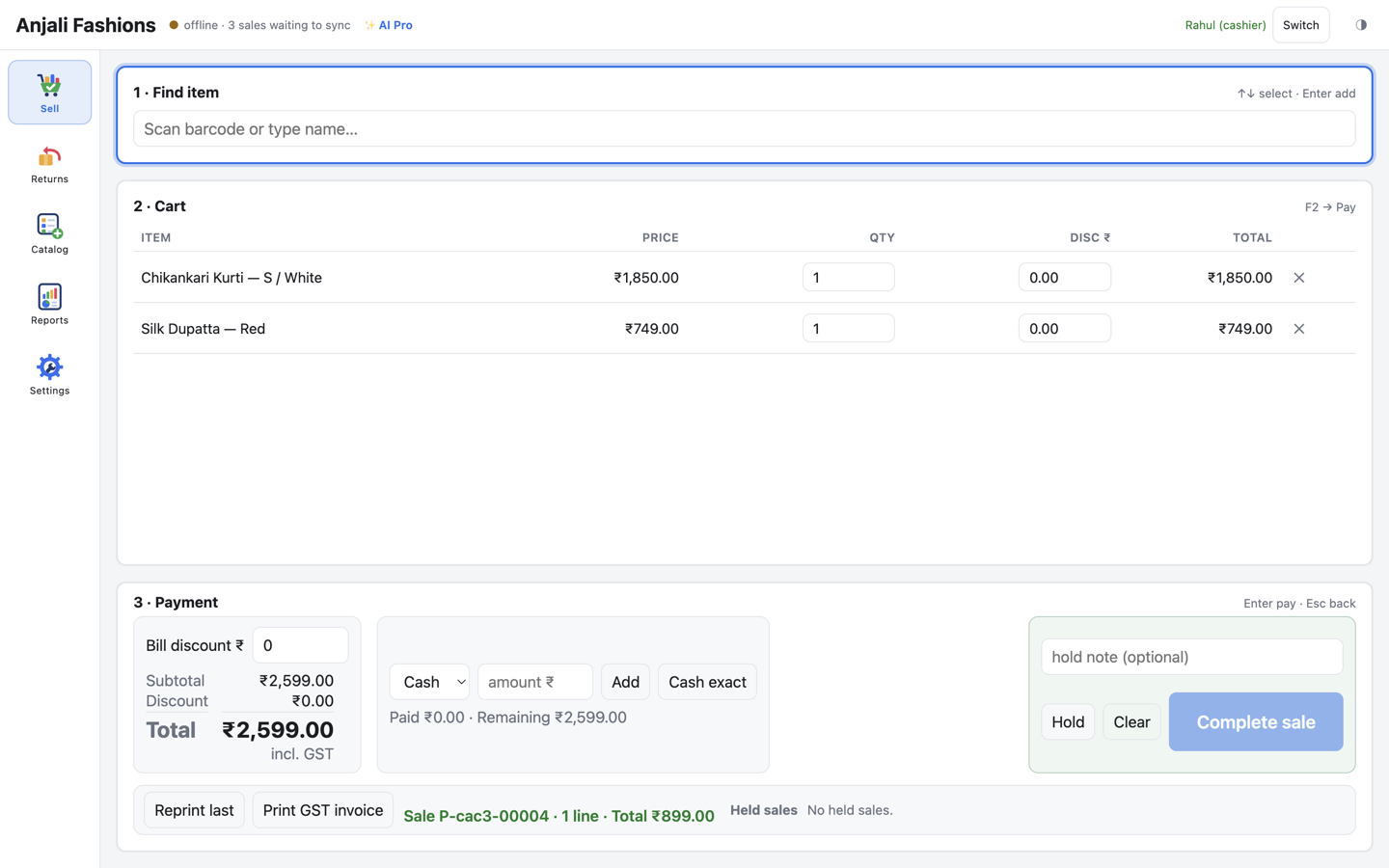
The till keeps its own copy of your catalogue, prices and staff. Sales wait safely on the till: the top bar turns amber, and Settings → Sync shows how many records are waiting.


Background sync
The till syncs in the background every 15 seconds. A sale shows in your web admin within about 15 seconds, and a change reaches another counter within about 30 seconds.
New sales go up and price, stock and staff changes come down. Nobody has to press upload.
If a sale doesn’t go through, the till tries again, waiting longer each time. “Sync now” tries straight away.
Every sale gets its own ID on the till. If it’s sent twice, say the line drops mid-sync, the cloud spots the repeat and keeps one.
If the cloud refuses a record, the till keeps it, stops resending it and lists it in Settings → Sync with the reason.
Green means nothing is failing. If a sale can’t go up, or the cloud refuses one, the top bar says so, in plain words.
A refused record stays red until an owner has looked at it and confirmed with their PIN. It stays stored on the till either way.
synced
Green: nothing is failing. New sales go up within about 15 seconds.
sync error or 2 sales not sent · retrying
Amber: offline, or the cloud couldn’t take a sale yet. Keep selling; the till catches up on its own.
1 sale refused by server or needs re-pairing
Red: something needs a person. The records stay on the till, listed with the reason.
Encryption
A copied till database is unreadable without that till’s key. Everything travelling between the till, the cloud and your browser goes over HTTPS.
Sealed by Windows DPAPI, or the macOS Keychain on a Mac
A random key, made on this till
Your till’s database
AES-256 · SQLCipher 4
The till’s database is encrypted with AES-256 (SQLCipher 4). Each till makes its own random key the first time it starts, and the operating system seals it: Windows DPAPI, or the Keychain on a Mac.
1ms
About what encryption adds to each bill, measured1
HTTPS everywhere, with HSTS, so browsers always connect over HTTPS. Before a till sends its key anywhere, it checks that the server address uses HTTPS, and warns before using anything else.
Tip: give the till PC’s Windows account a password, or turn on BitLocker. The till’s key is only as safe as that Windows account.
Staff and tills
Owner and cashier roles, hashed PINs, automatic lockouts, and a separate key for every till.
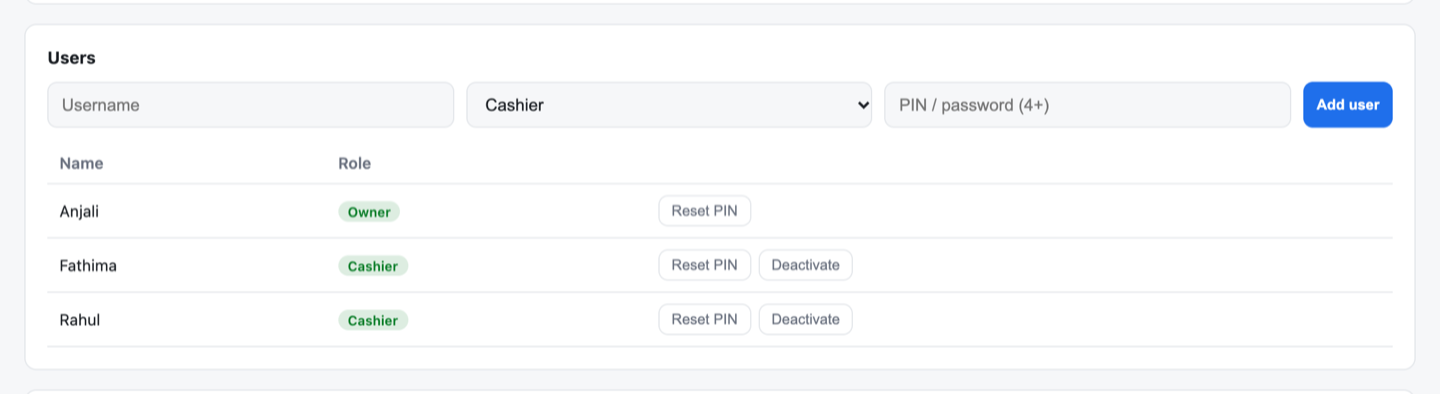
Each person gets their own name and a PIN or password. Only an owner can add staff, reset a PIN or deactivate someone.
Each till gets its own device key when you pair it. We store only a SHA-256 hash of it, so even a copy of our database holds no working till keys.
Shop-by-shop isolation
KadaAI serves many shops from one cloud. Every request is checked against the shop it belongs to, so no other shop can see or change your data.
Your shop is taken from your sign-in, never from what a request claims. Anything that points at another shop is refused.
The AI is read-only and scoped to your store. It can’t change anything, and it can’t see another shop.
Shop-by-shop scoping is covered by automated tests on the server, so the walls stay where they are.
Backups
With the Daily backup add-on, your data is backed up every night at midnight IST, and copies are kept for months.
Daily backup add-on
₹199/ month per store
Indicative launch pricing — subject to change. Prices exclude GST.
Coming soon: an encrypted copy kept off-site, in a second location.
Our promises
What we do today, and what isn’t built yet. No slogans.
We’ll update this list as each one ships. See what else is coming on the roadmap.
What the AI sends. To answer, the AI features send product names, prices and sales totals to the AI provider. Provider keys stay on our server and never touch the till. On the Basic tier, nothing goes to an AI provider.
Questions
Nothing changes at the counter. The sale is saved on the till, the receipt prints, and the sale goes up to the cloud when the connection is back. Until then the top bar shows amber, and Settings → Sync shows how many records are waiting.
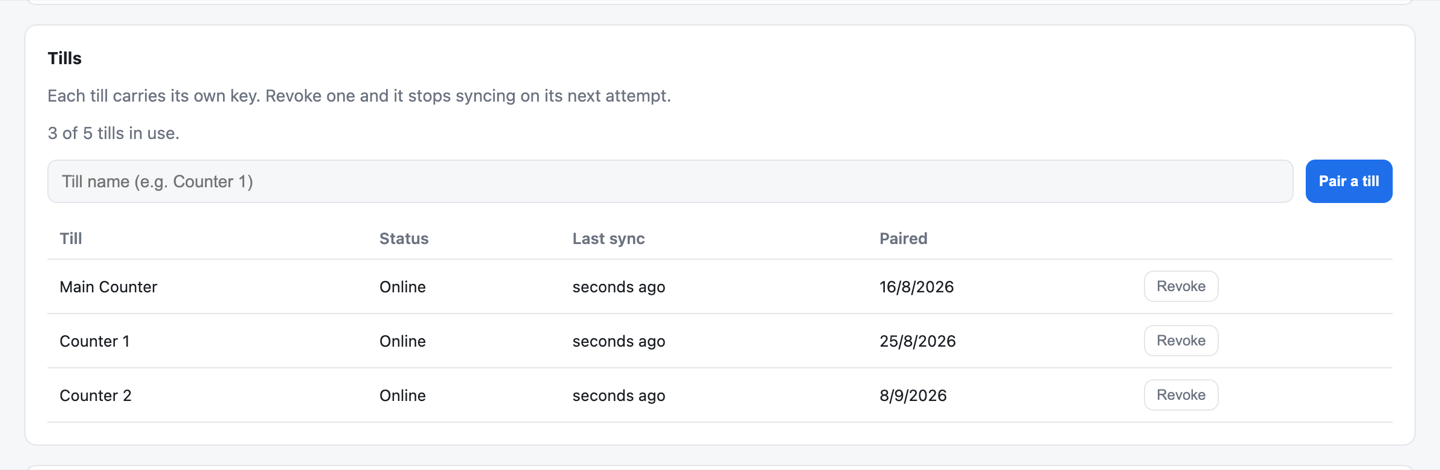
Its database is encrypted, so copied files are unreadable without that till’s key (a Windows password keeps the key safe; see the tip above). Open the Tills card in the web admin and press Revoke: the till stops syncing on its next try. Sales that already synced are already in the cloud.
No. Every request is checked against your shop, and a till’s key belongs to one shop only. The AI is scoped to your store too.
The AI reads your own store’s numbers to answer. To do that, it sends product names, prices and sales totals to the AI provider (Anthropic, OpenAI or Google). It is read-only, provider keys stay on our server, and billing never depends on it. Voice questions use your browser’s own speech service in Chrome or Edge. On the Basic tier, no AI is used.
With the Daily backup add-on, yes: every night at midnight IST, with 7 daily, 4 weekly and 6 monthly copies kept. An encrypted off-site copy is coming soon. The add-on is included in the free trial. See the price.
Not yet. Today, web admin sign-ins lock after 5 wrong tries, sessions end after 12 hours, and PINs and passwords are hashed with bcrypt. Owners can use a password instead of a short PIN.
Free for 30 days
Try KadaAI at your own counter. Everything is included in the trial: AI Pro, the daily backup and up to 3 tills. No card needed. We’ll get you set up.