3 to 6 plain points on how the shop is doing.
AI Standard
KadaAI Intelligence
KadaAI’s AI reads your own sales and stock, then tells you what to reorder, what to feature and what to clear. Ask it anything, in English, Malayalam or Tamil.
Answers in
Voice questions in Chrome and Edge
What it does
Three live in your web admin, for you. One helps your cashier at the counter.
3 to 6 plain points on how the shop is doing.
AI Standard
Ask a question, get an answer from your figures.
AI Standard
What to reorder, and how many, for the next 2 weeks.
AI Pro
Add-on ideas for the cashier, right on the till.
AI Standard
Business Insights
AI StandardKadaAI first works out the figures from your own reports: sales, top sellers, slow movers and stock. The AI then turns them into 3 to 6 short points, using only those numbers.

AI Assistant
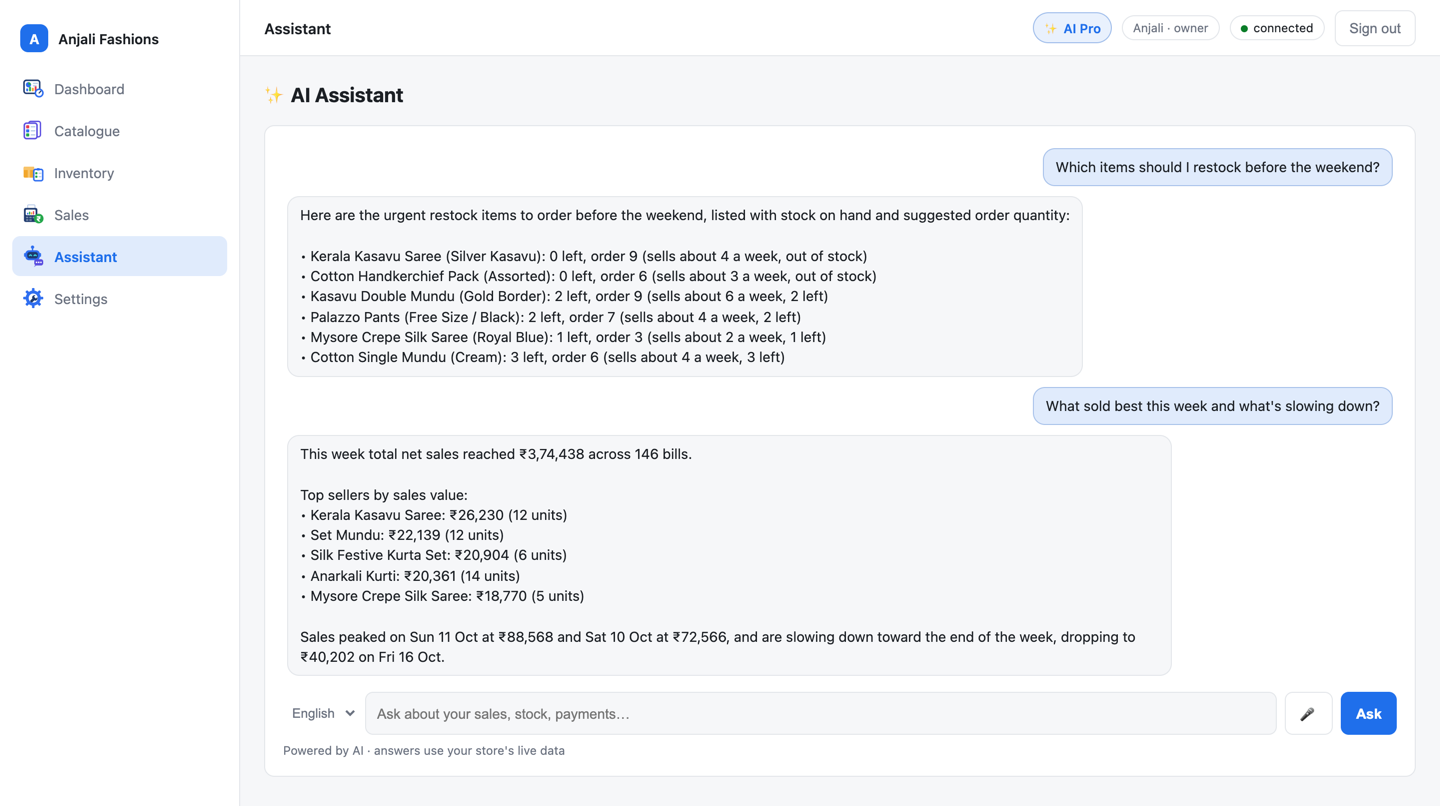
AI StandardType a question the way you’d ask your manager. The assistant looks up the answer in your store’s own figures and replies in plain words.
It answers in English, മലയാളം or தமிழ். Type in your own script or in English letters. Voice questions work in Chrome and Edge.
The assistant can only read. It can’t change a price or a stock count.
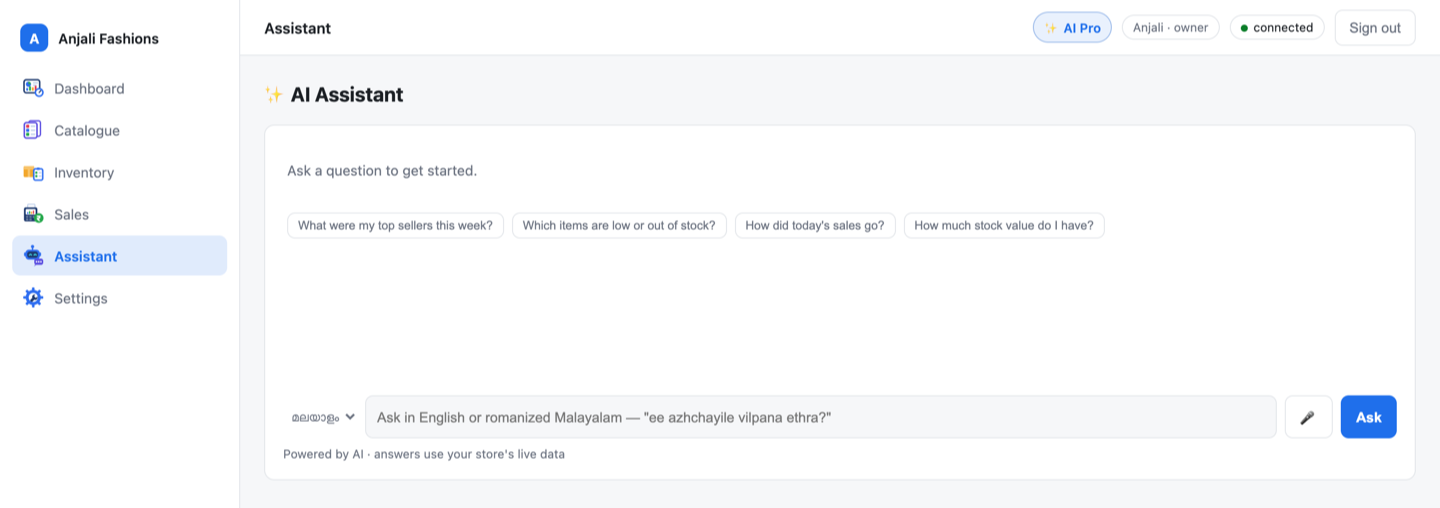
ee azhchayile vilpana ethra?
ഈ ആഴ്ച 146 ബില്ലുകൾ, ആകെ വിൽപ്പന ₹3,74,438. വിൽപ്പനയിൽ മുന്നിൽ Kerala Kasavu Saree ആണ്.
In English: “How much did we sell this week?” “146 bills this week, ₹3,74,438 in total sales. Kerala Kasavu Saree leads.” Amounts and product names stay exactly as on your bill.
Predictive Restock
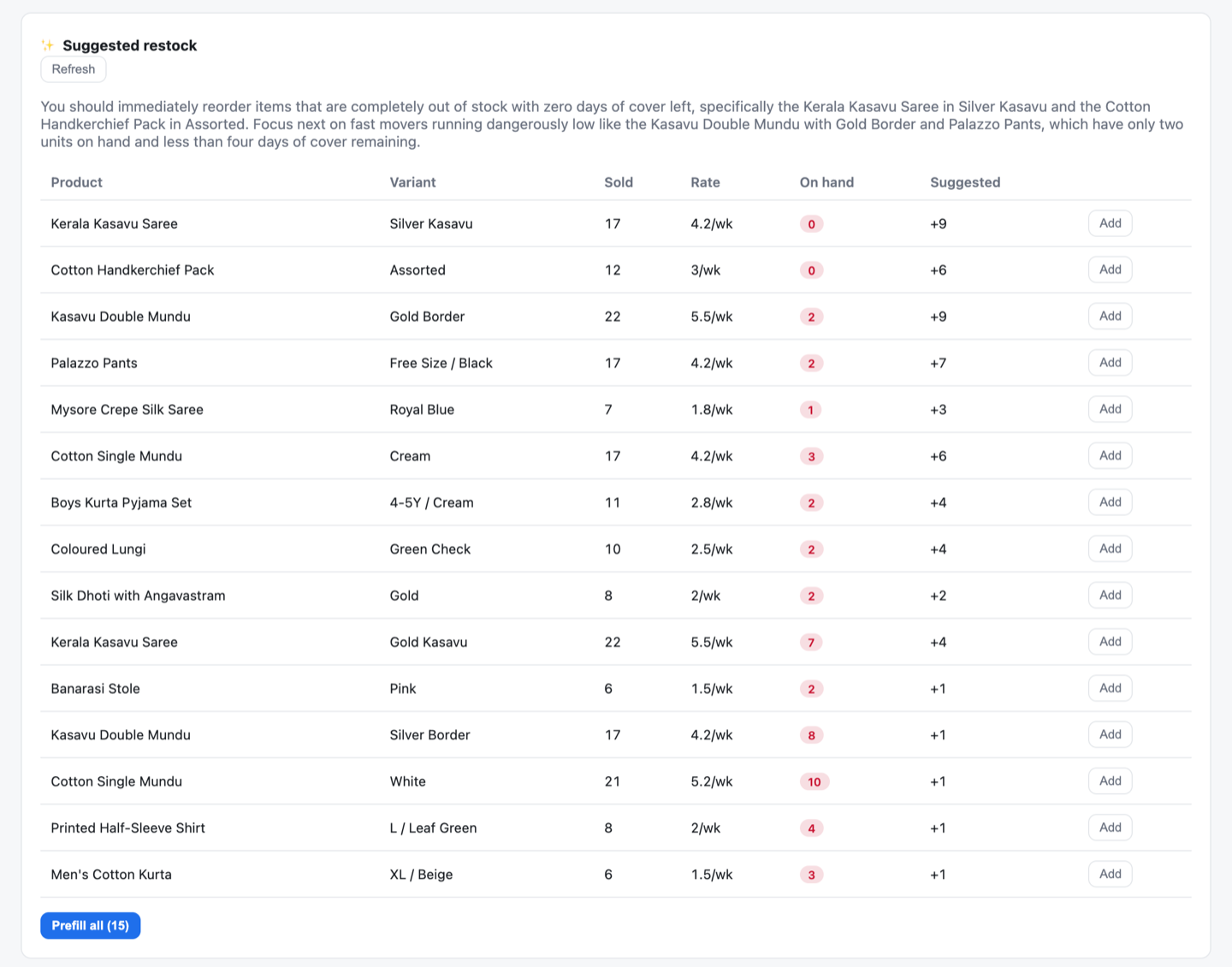
AI ProKadaAI looks at the last 28 days of sales for every size and colour, works out how fast each one sells, and suggests enough stock for the next 2 weeks. The 15 most urgent items come first.
The quantities come from a simple formula, so the same figures always give the same answer. The AI only writes the short note on what to reorder first.
| Sold in the last 28 days | 17 |
|---|---|
| Sells about | 4.25 a week |
| Needed for 2 weeks | 98.5, rounded up |
| On hand | 0 |
| Suggested reorder | +9 |
Reorder the Silver Kasavu saree first. It’s out of stock and sells about 4 a week.
The formula sets the numbers. The AI only explains the order.
Often bought together
AI Standard On the tillAs items go into the cart, the till suggests up to 3 more that your customers often buy with them, learned from your last 90 days of bills. One click adds it.
This one is plain statistics from your own bills, not an AI model, and nothing is sent to an AI provider.
In the cart
Often bought together
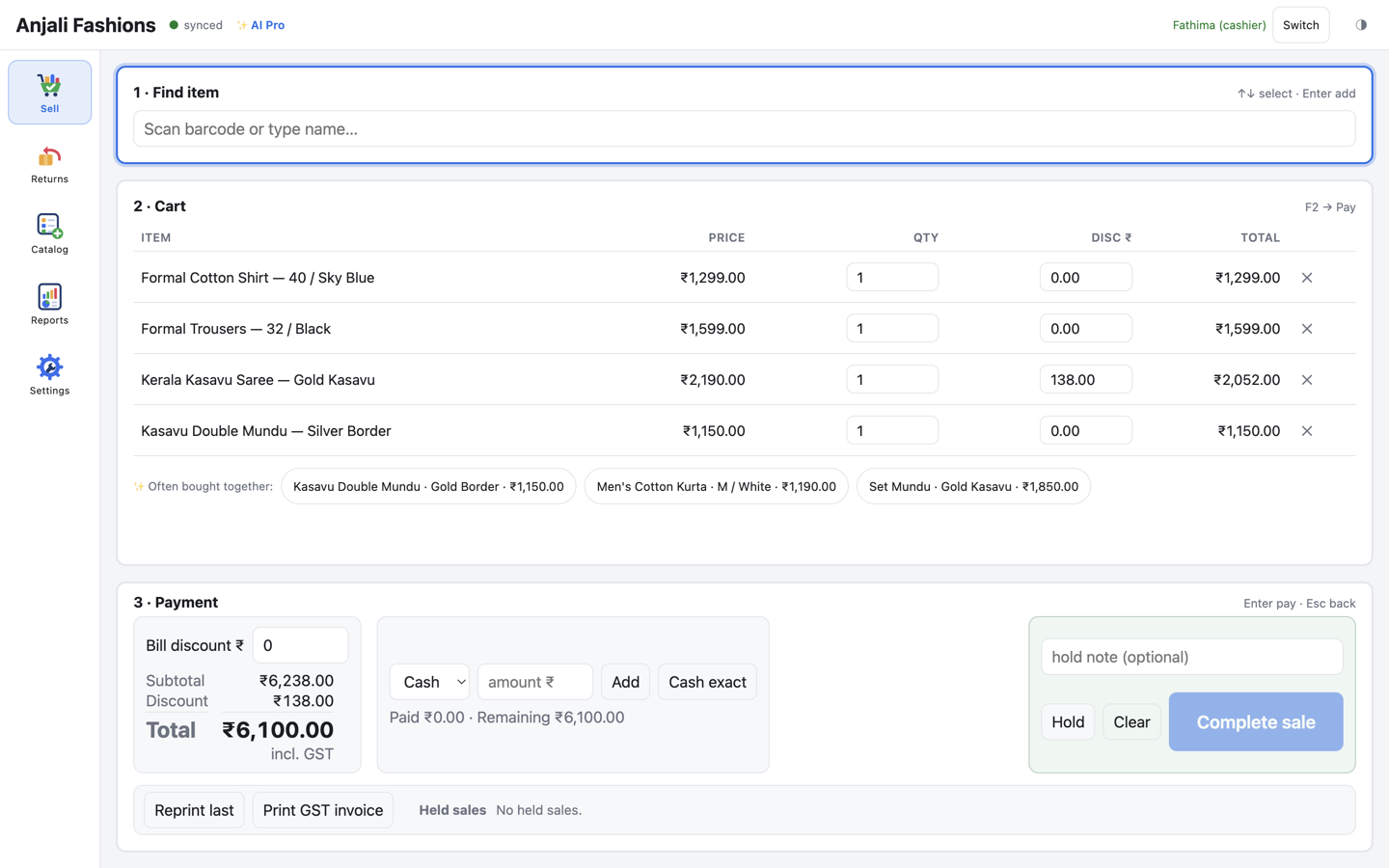
How it works
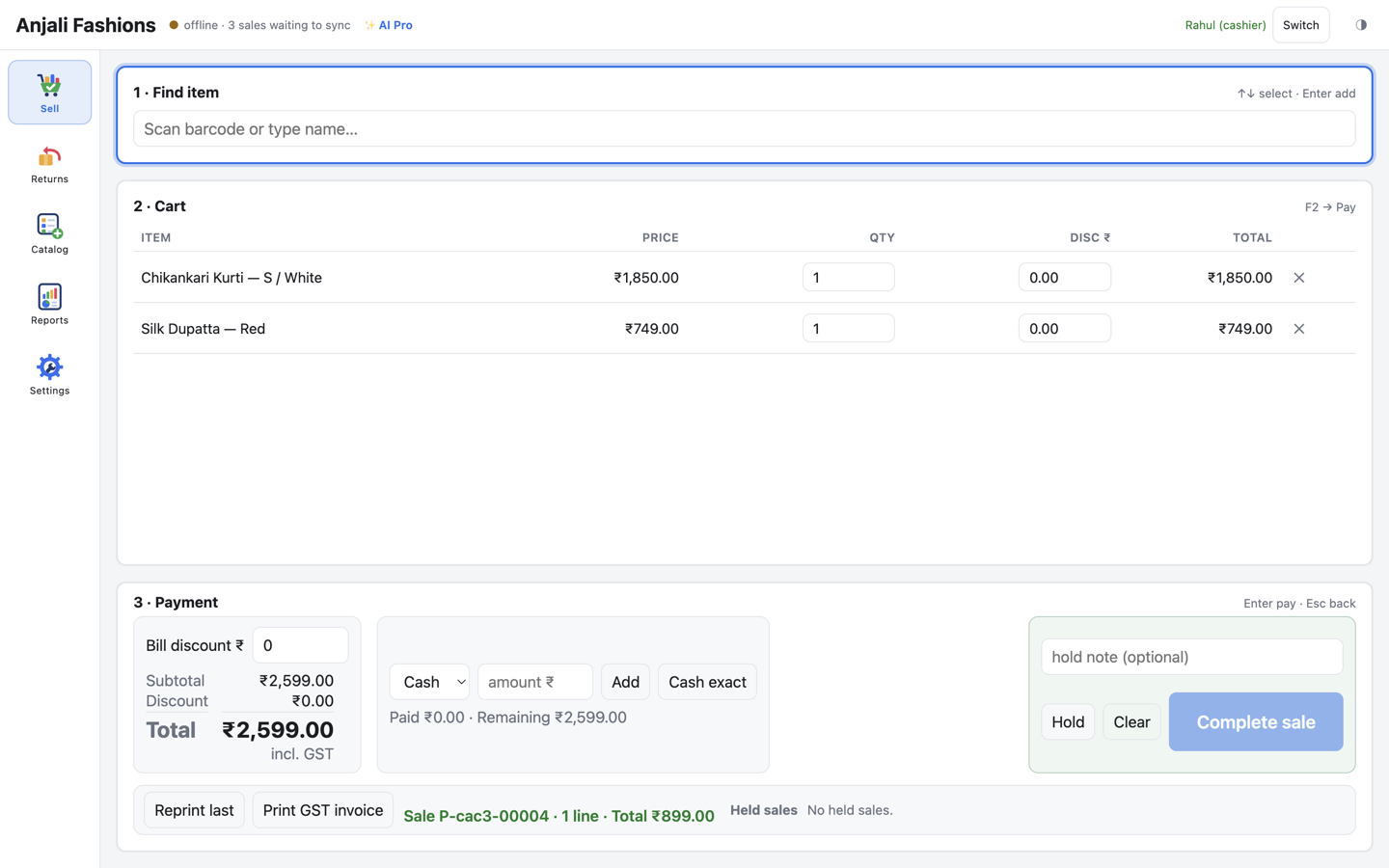
No spreadsheets, no exports. Here’s what happens when you ask a question.
Every till syncs its sales to your web admin in the background, about every 15 seconds.
KadaAI fetches just the figures your question needs (sales, day close, stock or products) from your store alone.
The model turns those figures into plain words. It is told to use only your numbers, and to say so when there are none.
ClaudeGPTGemini
In English, Malayalam or Tamil, with amounts and product names exactly as on your bill.
Always in your control
Every AI tier comes with a monthly allowance, and you can always see how much you’ve used.
Requests a month
One question, or one fresh summary, is one request. Add-on suggestions and failed requests never count.
Your dashboard shows how many requests you’ve used this month, and warns you as you get close to the limit.
We can set a monthly ceiling on your store’s AI spend. If it’s reached, AI pauses until the next month.
Choose Basic for no AI at all. Or ask us to switch AI off for your store, and every AI feature stops at once.
When a limit is reached, the AI says so plainly. Your till keeps billing, and your reports keep working, exactly as before.
Built for the counter
AI lives in your web admin and needs the internet. Your till needs neither. It bills, works out GST, prints and takes returns on its own, even with the internet down.
AI tiers
AI is a tier on top of your till licence, per store. The free trial includes AI Pro, so you can try everything first.
| Feature | Basic | AI Standard | In the free trialAI Pro |
|---|---|---|---|
| AI tier price | ₹0 | ₹999 / month | ₹2,999 / month |
| AI requests a month | No AI | 1,000 | 5,000 |
| Business Insights | No | Yes | Yes |
| AI AssistantEnglish, Malayalam, Tamil; voice in Chrome and Edge | No | Yes | Yes |
| Often bought togetherOn the till; uses no AI requests | No | Yes | Yes |
| Predictive Restock | No | No | Yes |
| Billing, GST, reports and web admin | Yes | Yes | Yes |
₹0
No AI
₹999 / month
1,000 AI requests a month
₹2,999 / month
5,000 AI requests a month
Indicative launch pricing — subject to change. Prices exclude GST. The till licence starts at ₹499 a month for the first till, including the web admin.
Your data and the AI
To answer you, KadaAI sends your store’s figures to the AI provider we use at the time: Anthropic, OpenAI or Google. They are sent as they are, not anonymised, under that provider’s terms.
Voice questions: your browser turns your speech into text using its own speech service, before anything reaches KadaAI. You can always type instead.
Questions
It can. The numbers come straight from your own reports, and the AI is told to use only those numbers and to say so when it has none. But the wording comes from an AI model, so treat it as advice and check anything important in your reports.
It only sees sales that have synced from your tills, and it can only answer about sales, day close, stock and products. Questions about profit, customers, suppliers or GST returns are outside what it can see today. Restock quantities come from a fixed formula, so they don’t vary.
The assistant answers in English, Malayalam (മലയാളം) or Tamil (தமிழ்). Type in your own script, or in English letters, like “ee azhchayile vilpana ethra?”. Amounts, dates, SKU codes and product names stay exactly as on your bill.
Voice questions work in Chrome and Edge. The app’s own screens, receipts and invoices are in English.
Only the “often bought together” suggestions, and those are statistics from your own bills, not an AI model. Insights, the assistant and restock live in your web admin, which runs in any modern browser on a laptop or desktop.
The till never calls an AI model. It keeps billing whatever happens to AI or the internet.
AI is a tier on top of your till licence, per store: Basic is ₹0 (no AI), AI Standard is ₹999 a month with 1,000 requests, and AI Pro is ₹2,999 a month with 5,000 requests. Indicative launch pricing — subject to change. Prices exclude GST.
The 30-day free trial includes AI Pro. Work out your price in the calculator.
Yes. Choose Basic and there is no AI at all, and no AI requests are made. On a paid tier, ask us and we switch AI off for your store: every AI feature stops at once. Billing, reports and the rest of KadaAI carry on as normal.
No. It can only read. Restock suggestions fill in a delivery form that you check and save yourself.
Leading models from Anthropic (Claude), OpenAI (GPT) and Google (Gemini). We choose the model for the whole platform and can switch it without you changing anything. The keys stay on our server.
Free for 30 days
The trial includes AI Pro, the daily backup and up to 3 tills. No card needed. We’ll get you set up.